ExpertWind Insights: Q2 2026 Product Update
2026-05-18 · News
By ExpertWind Team
This quarterly update introduces several new capabilities across ExpertWind Insights, improving how wind farm owners, operators, asset managers and performance teams interpret results, prioritise issues and move from operational data to action.
The main additions include ExpertWind Copilot, turbine logs and status intelligence, Focus Mode, improved alert workflows, better knowledge management and new fixed-term campaign options for focused performance work.
Together, these updates strengthen Insights as a structured environment for wind farm performance, connecting SCADA data, turbine status and logs, diagnostics, expert methodology and operational follow-up in one workflow.
ExpertWind Copilot
ExpertWind Copilot is a performance assistant inside ExpertWind Insights, designed to help users interpret results, ask performance questions and move faster from evidence to action.
Users can ask questions about wind farm performance, diagnostics, methodology and the results they are reviewing. Copilot can help explain what a result means, where to find supporting evidence and what should be reviewed next.
It is also integrated into key result pages, where it can summarise the selected view, highlight relevant trends and explain turbine-level patterns.
This helps users move faster from detection to interpretation and action.
We introduced Copilot in more detail here: Introducing ExpertWind Copilot.
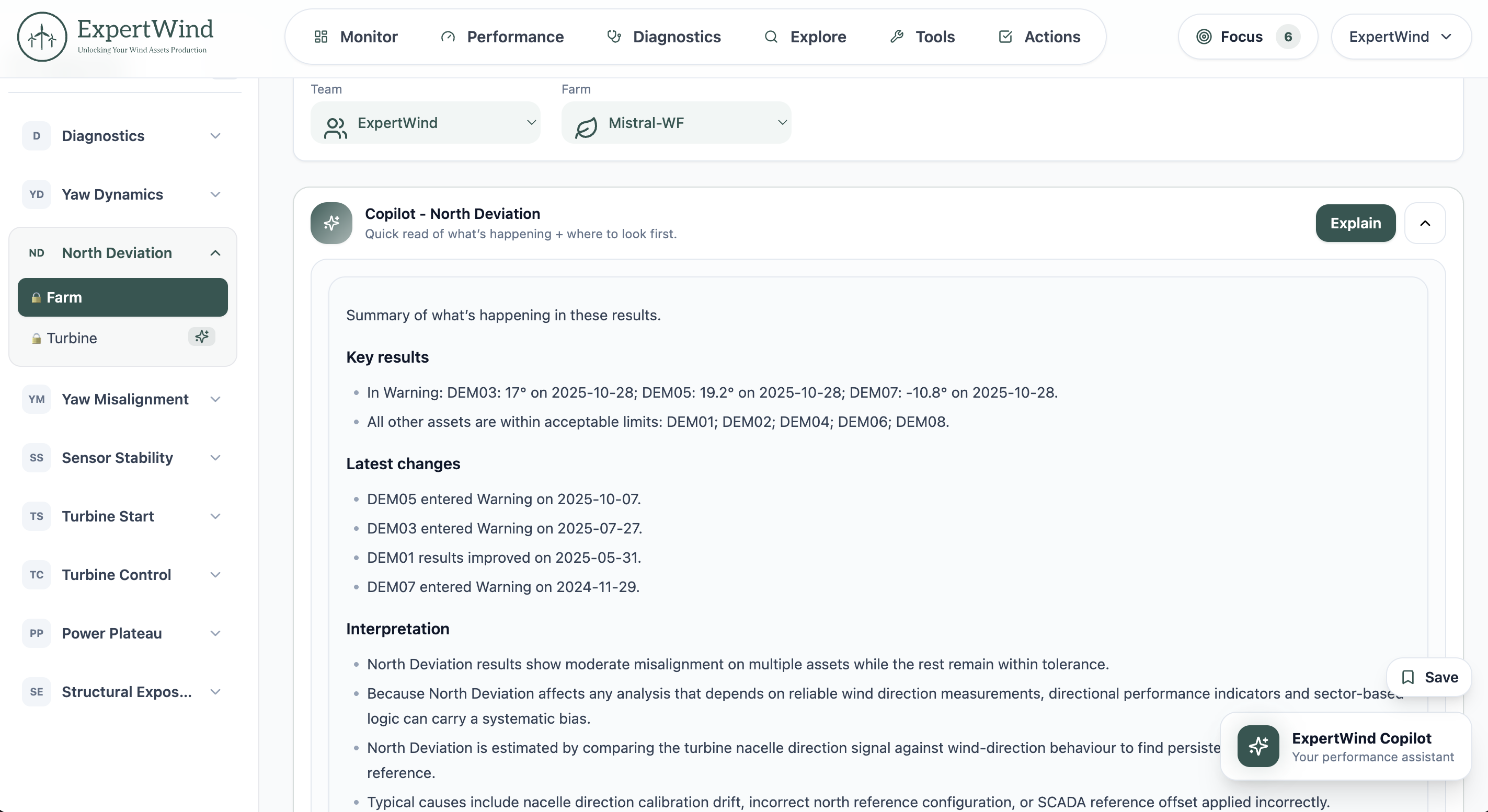 Fig. 1: ExpertWind Copilot helping users interpret performance results and identify the next step inside Insights.
Turbine logs intelligence
This update adds a new turbine logs and status intelligence layer to Insights.
Turbine alarms and warnings can now be imported, structured and analysed together with SCADA data, stops and performance behaviour. This makes status data easier to use in real investigations, instead of remaining isolated in raw logs.
Insights now helps users:
- identify recurring alarms and warnings across turbines
- detect abnormal increases, drops, bursts and persistent event signals
- compare event behaviour between turbines and across time
- connect status patterns with stops, availability issues and turbine behaviour
- investigate specific status codes using frequency, duration and trend indicators
The goal is to make turbine logs and status part of the performance workflow, helping teams identify abnormal behaviour, recurring issues and root causes more quickly.
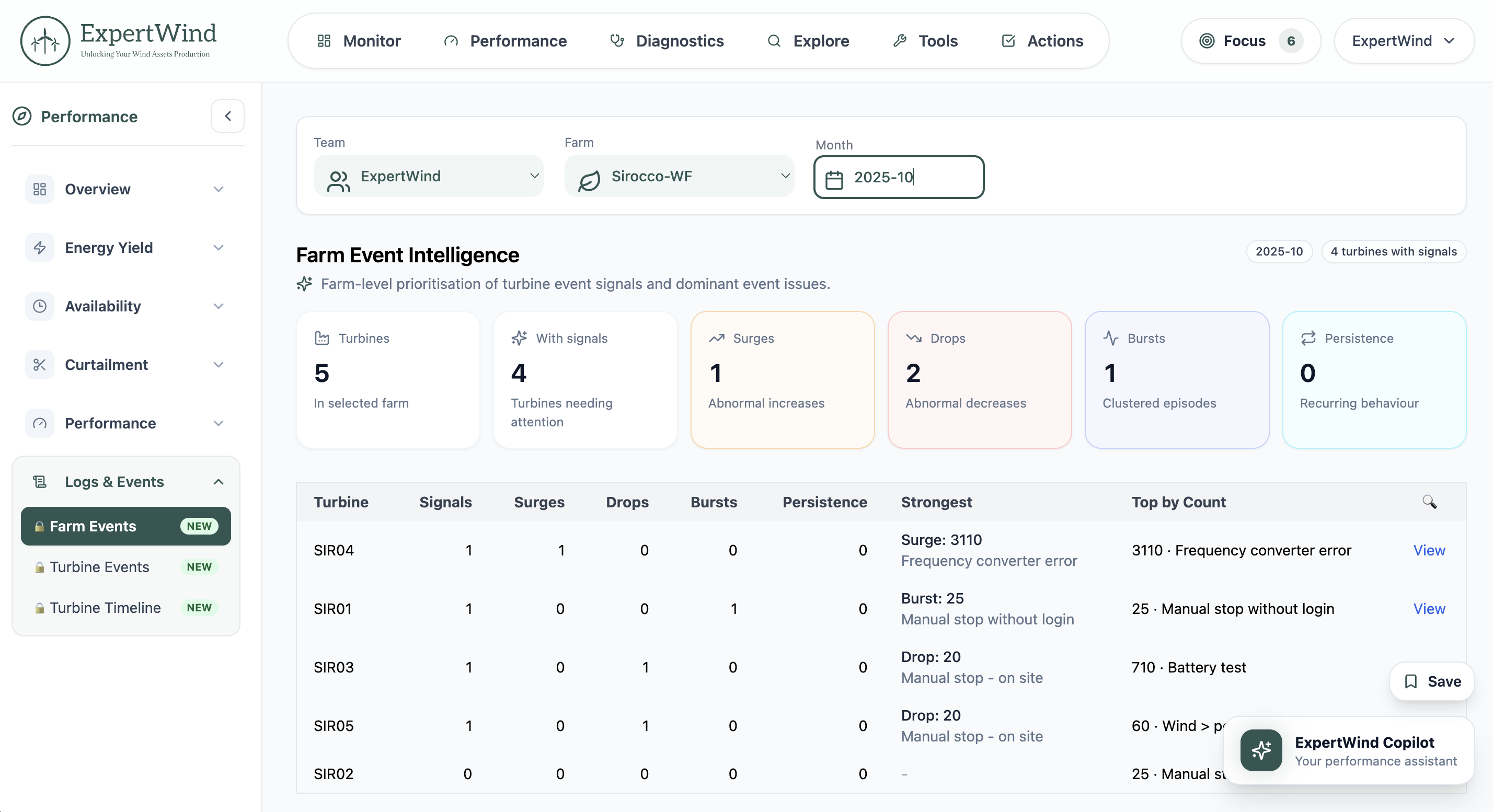 Fig. 2: Farm Event intelligence helping identify abnormal event behaviour and recurring signals across a wind farm.
Focus Mode
Focus Mode has been introduced to help users concentrate on the most important issues across their portfolio.
It brings the most critical alerts, outliers and underperforming results into a prioritised workflow, making it easier to see which farms, turbines or issues require attention first.
This is especially useful for teams managing multiple assets, where the challenge is not only detecting issues but deciding where to focus first.
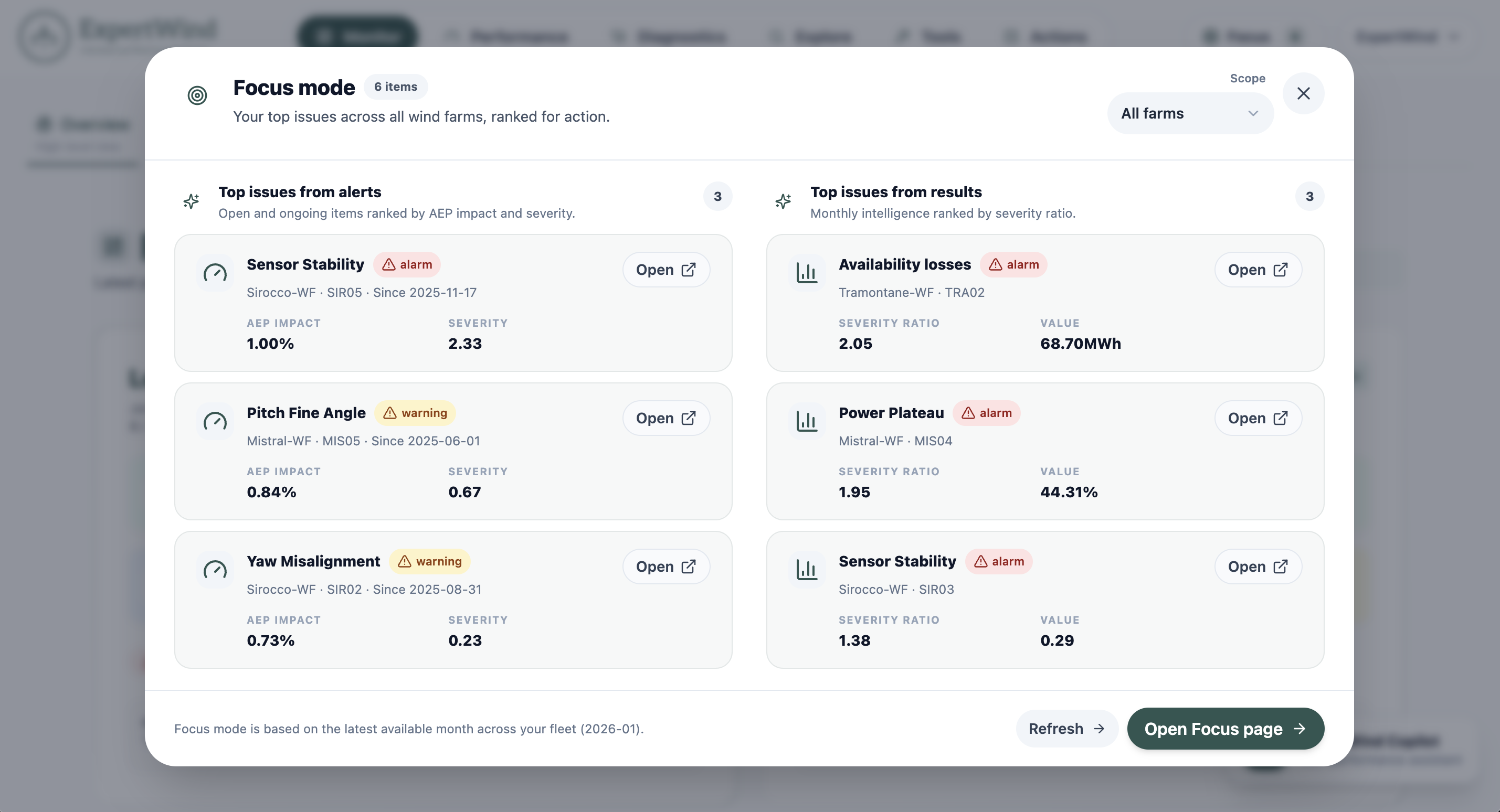 Fig. 3: Focus Mode highlighting the most critical alerts, outliers and underperforming results across the monitored portfolio.
Improved alert resolution
Alert workflows have been improved to better support the full lifecycle of an issue.
Insights now helps detect when an alert appears to have been corrected based on the latest data. It supports the review of corrected issues, advises on alert closure and provides relevant correction dates.
This helps users keep the action workflow cleaner, focus on active issues and maintain a clearer record of what was detected, corrected and closed.
Knowledge management and sharing
This update also improves how users save, share and continue investigations.
Saved Contexts allow users to save a specific results view, including filters and selections, and return to it later. This makes it easier to continue an investigation, prepare a meeting or share a specific analysis setup with another user.
Expert Threads have also been improved to support both expert Q&A and context-based discussions. This helps teams keep questions, interpretations, decisions and follow-up topics connected to the relevant analysis.
Together, these features make it easier to preserve knowledge and avoid losing important context between analysis, discussion and action.
Clearer navigation and workflows
The platform structure and navigation have been redesigned to make Insights easier to use as more capabilities are added.
The updated structure creates a clearer separation between monitoring, performance insights, diagnostics, tools and actions. Side menus have also been improved to make features easier to find and workflows more consistent.
This gives users a smoother experience when moving from high-level monitoring to detailed diagnostics and deeper investigations.
Additional improvements
Several other improvements were added across the platform.
Stops analysis now gives users more flexibility and helps connect relevant stops with the status codes most frequently associated with them. SCADA import is more flexible, with improved variable detection and smarter field mapping. Insights Lab has also been expanded with additional analysis modes.
Turbine Upgrade assessments are now included in the Expert tier subscription, and users can request quotes directly from the platform for subscription plans or projects involving existing or new wind farms.
Fixed-term performance campaigns
This update also introduces fixed-term campaign options for users who want a defined project window and a clear objective without committing to an ongoing subscription.
These campaigns are designed for focused work such as farm scans, due diligence, initial diagnostic assessments, optimisation projects, correction follow-up and measurable improvement programmes.
They provide a flexible way to access Expert-tier capabilities for a specific performance objective over a defined period. More information can be found on the updated Plans & Pricing page.
Continuing the development of Insights
This quarterly update strengthens several important parts of the Insights workflow: interpretation, logs and status analysis, prioritisation, alert resolution, knowledge sharing, data import and access flexibility.
The objective remains the same: help wind farm teams identify what matters, understand what the evidence supports, prioritise the right issues and move faster from analysis to improvement.
Ready to see ExpertWind Insights in action? Schedule a demo and we’ll walk you through the latest capabilities.
Prefer to explore on your own? Visit Insights to learn more about capabilities, plans and how your wind farms could benefit from it.